
Climb it. Trace it. Fix it.
Movement analysis and technique coaching for bouldering
Your center of mass and angles every frame.
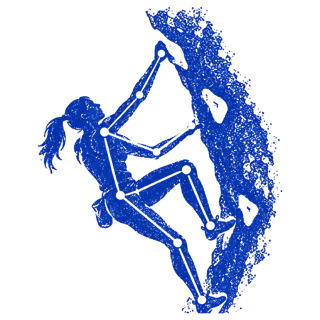
Set your phone on the floor and climb. Apple's Vision model tracks fifteen joints in every frame, and Trace builds your skeleton, the path of your center of mass, and the angle at each elbow, knee and hip as you move. It runs on the phone in seconds, and nothing is uploaded.
- •Center of mass, traced as a path up the wall
- •Elbow, knee and hip angles, frame by frame
- •Camera movement taken out when a friend films you
- •Says nothing below 55% tracking confidence
Find the moves that cost you energy.
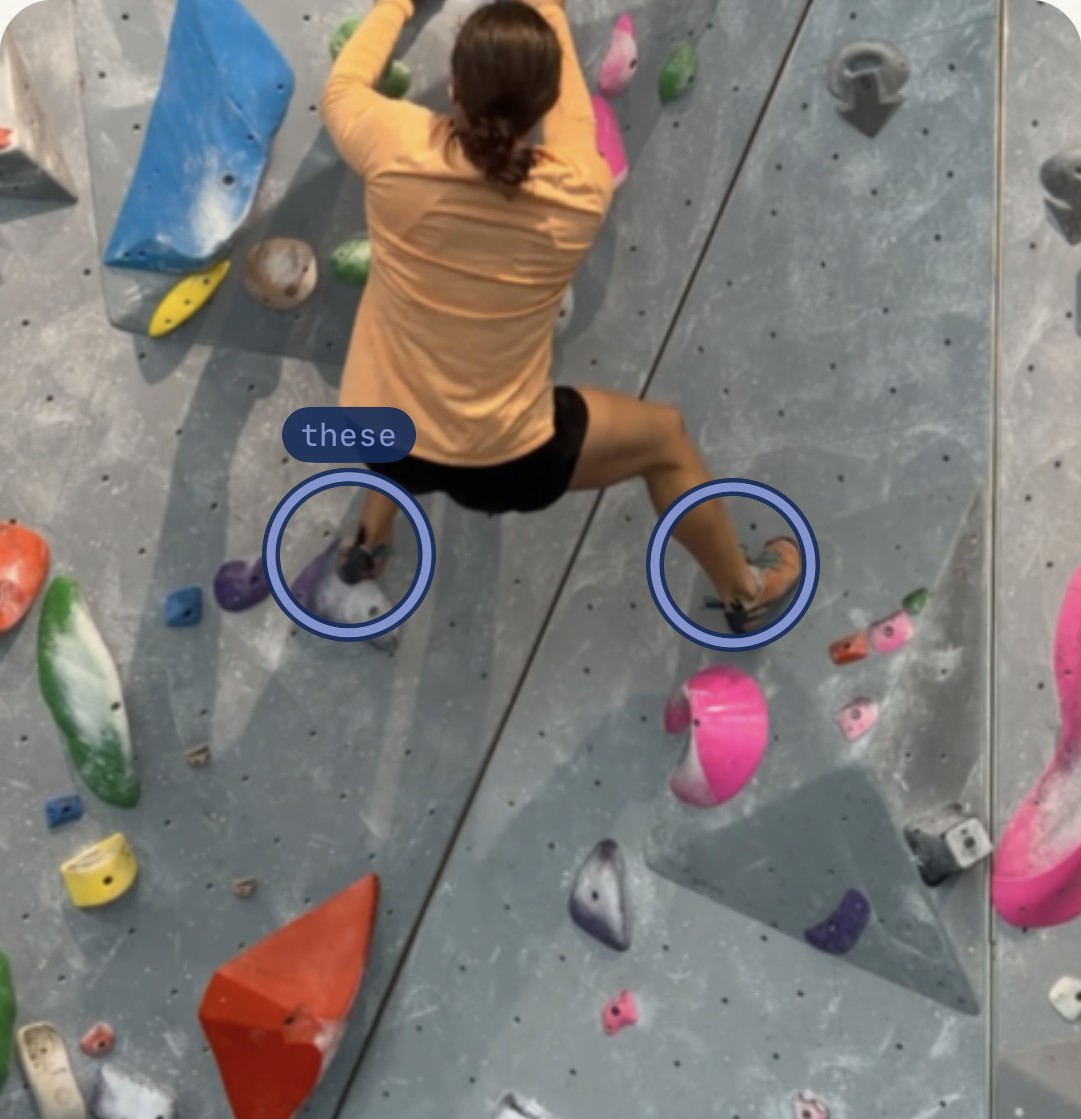
Trace reads your film move by move and flags where your movement leaks energy. Each finding freezes the frame it happened on, marks the joints involved and gives you the fix in one sentence, worst first.
Build a library of your climbs and watch yourself improve.
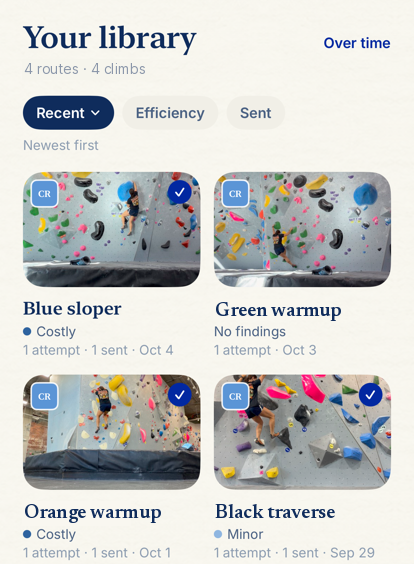
Every climb is saved and grouped by problem, so attempts on the same route sit side by side. Trace measures you against your own history, not anyone else's numbers, and keeps one focus on your home screen until it measurably improves.
- •Attempts grouped by route, sends marked
- •Smoothness and efficiency tracked across sessions
- •One thing to work on, carried until it gets better
Scan a wall. Send the routes that train your weak spot.
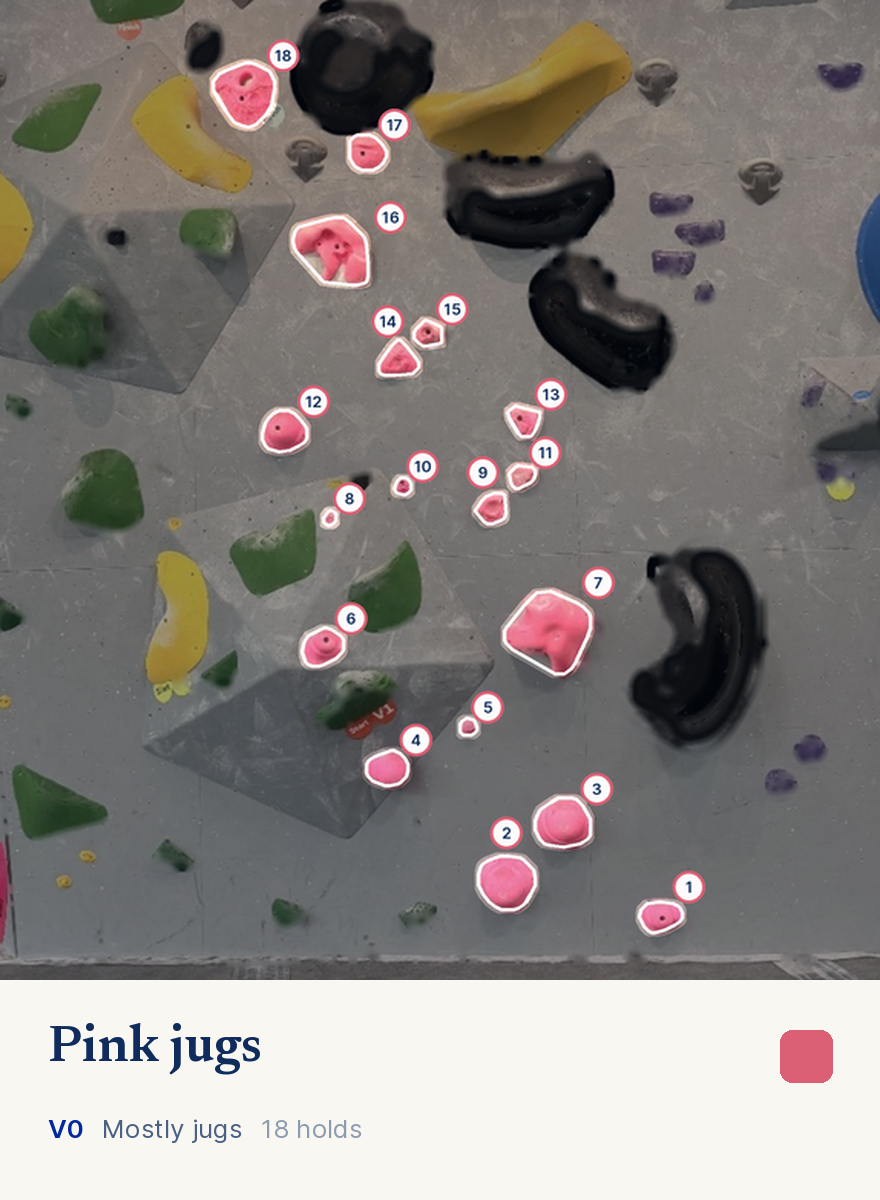
Photograph a wall and Trace reads every route off it by color, grade included. It measures each route's shape, how far apart the holds are, how wide it spreads, whether one move stands out, and puts forward the ones that suit what you're working on, just below your hardest send.
See the beta for your body.
Pick a route and Trace draws a figure climbing it, hold by hold. The figure is built from your height and arm span, so your ape index changes where a foot can reach while your hands stay put. Once Trace has tracked you climbing, it uses your own limb lengths instead of an average body.
Get my betaFAQ
01 How does Trace analyze my climbing?
You film a climb, or import one you already have. Apple's Vision body-pose model tracks fifteen joints in every frame, and Trace builds your skeleton, the path of your center of mass, and the angle at each elbow, knee and hip. Everything it tells you is measured from that motion, not guessed, and it all runs on your phone in a few seconds.
From there it measures:
- Efficiency: how much your center of mass wandered, how smoothly you moved, and how far you traveled compared with a straight line.
- Arms and hips: how bent your arms were while holding still, and how far your hips hung off your feet.
- Timing: pauses, foot resets, and whether you caught holds at the top of your movement.
Anything that crosses a threshold becomes a finding. Each finding freezes the frame it happened on, marks the joints involved, and gives you the fix in one sentence, worst first. The thresholds come from real climbing footage.
02 How should I film, and what if Trace can't see me clearly?
- Set your phone on the floor, square to the wall, with the whole boulder in frame.
- Keep the climber clear of people walking through the shot.
- Normal gym lighting is fine.
If a friend follows you with the camera, Trace detects the movement and takes it back out before measuring. The moment-by-moment findings still work, but it holds back whole-climb scores, because small errors add up over a moving shot.
Every clip gets a tracking confidence. Below 55%, Trace tells you it couldn't see you clearly instead of coaching you on a guess. Moving the phone closer and squarer to the wall usually fixes it.
03 How do route scan and the beta work?
Route scan. Photograph a wall and Trace picks out every hold by color, treating chalk as part of the hold. It reads the start, finish and V-grade off the stickers. It needs no route database, so it works on the first photo in any gym. If unrelated holds share a route's color, you remove them before saving.
Routes picked for you. Trace measures each route's shape: how far apart the holds are, how wide it spreads, and whether one move stands out. It then suggests the routes that train what you're working on, just below your hardest send. Working on bent arms points you to big holds close together; imprecise feet point you to small holds far apart.
Beta for your body. Trace draws a figure climbing the route hold by hold, built from your height and arm span. Once it has tracked you, it uses your own limb lengths. A photo can't show hold types or the wall's angle, so treat it as a starting line sized to you, not the setter's intended sequence.
04 Is my footage private?
Yes. Your clips, pose data, measurements, findings, wall photos, and your height, reach and weight stay on your phone. Nothing is uploaded to us, nothing is used to train any model, and there's no analytics, crash reporting or ad tracking.
Only three things ever leave your phone:
- Your email, so you can sign in.
- Your subscription status, from Apple. We never see your card.
- What you type into the "where do you climb" field, sent to Apple Maps for suggestions.
Read the full privacy policy.
05 What does it cost, and what do I need?
There are three ways to use Trace:
- Free: your first three climbs, with everything Trace measures and finds.
- Trace Pro, monthly: $4.99 a month for unlimited recording, importing, route scanning, findings and progress tracking.
- Trace Pro, yearly: $30 a year, which works out to $2.50 a month and saves 50% compared with paying monthly.
Both Pro plans are billed through your Apple ID and renew automatically. You can cancel anytime in Settings under your name, then Subscriptions. Turning off renewal at least a day before the next charge stops that charge, and cancelling never deletes anything on your phone.
Trace runs on iPhone with iOS 17 or later. You'll need an account to sign in, and adding your height and arm span in your profile lets Trace measure in real units and fit the beta to your body.